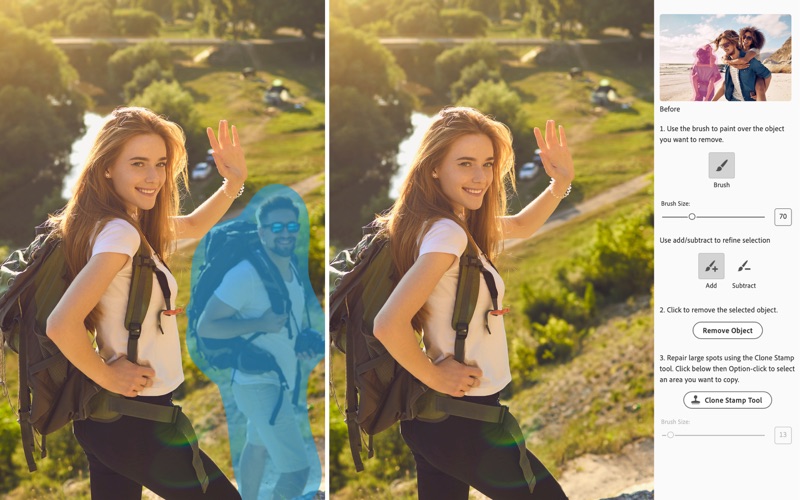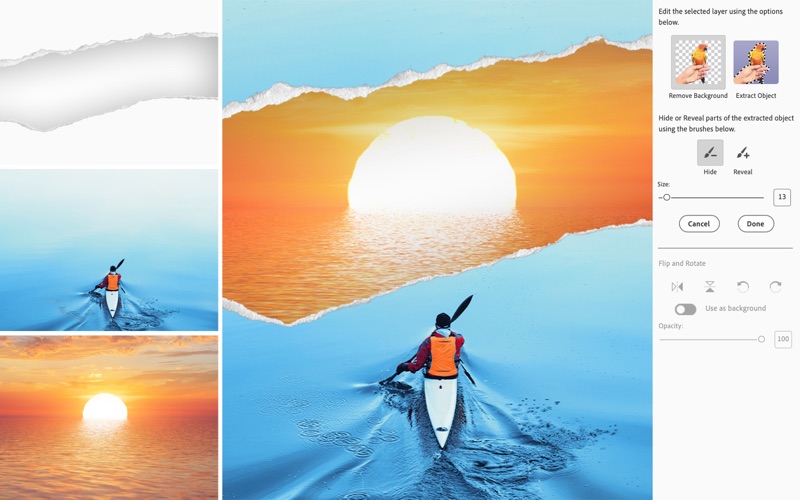
AI magic. Easy edits. Amazing photos. With the magic of AI and automation behind the scenes, it’s never been easier to fix flaws, fine-tune specific areas, and add motion to quickly bring your vision to life. Add new modern textures plus stylish effects. Show off your favorites in Photo Reels and collages. NEW Simply brush to remove objects. Make anything disappear in seconds with the new AI-powered Remove tool and the Object Removal Guided Edit. POWERED BY AI NEW Add realistic depth of field with precise control. Choose your focal point and the new AI-powered Depth Blur filter automatically adds blur just where it’s needed. Then adjust details like blur strength, focal distance, and focal range for the perfect look. POWERED BY AI NEW Change the color of any object. Just use the automatic selection tools to choose what you want to change, pick your new color, and refine to suit your style. NEW Seamlessly combine multiple pics. Blend the subject from one, the background from another, and elements from many more to create a never-before-seen image. NEW Create motion effects with four new Quick Actions. With just one click, create a sense of camera motion or add animated sparkles, a blinking heart, or an animated frame. NEW Create with modern textures and graphics. Add a designer’s touch with textured photo backgrounds and embellish creations, social images, and more with fun graphics. System Requirements • Intel 6th Generation or newer processor; Apple silicon M1 or newer processor • macOS 13, macOS 14 (14.4 or later) • 8GB of RAM • 10GB of available hard-disk space to install the application; additional space required for downloading online content and for temporary files during product installation and usage (cannot install on a volume that uses a case-sensitive file system or on removable flash storage devices) • 1280x800 display resolution (at 100% scale factor) • Internet connection required for product activation and download of features and online content