Kids App Qustodio

Kids App Qustodio

By Qustodio

  • Category: Lifestyle
  • Release Date: 2015-10-29
  • Current Version: 182.15.1
  • Adult Rating: 4+
  • File Size: 73.51 MB
  • Developer: Qustodio
  • Compatibility: Requires iOS 15.0 or later.
Score: 2.21862
2.21862
From 7,369 Ratings

Description

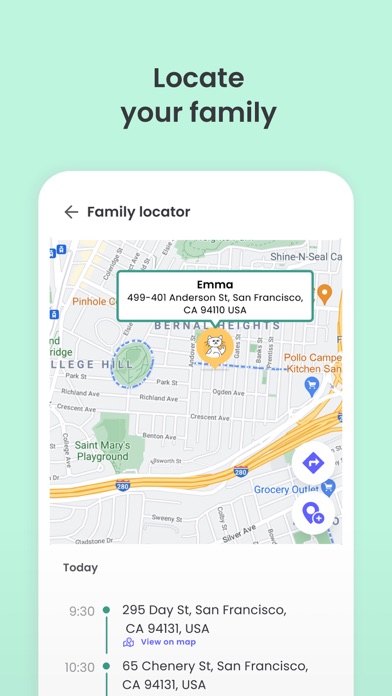
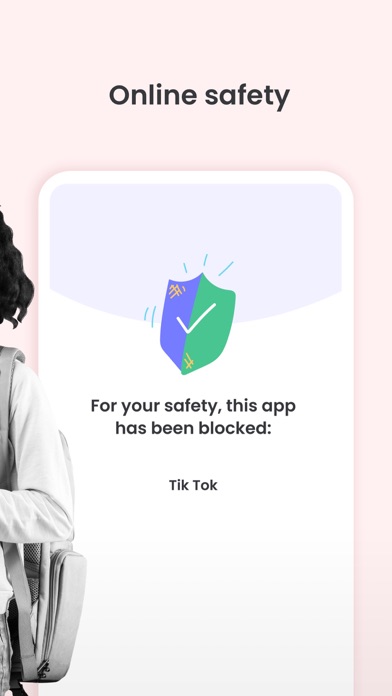
Kids App Qustodio is the companion app to Qustodio Parental Control App. Please only download this app to a device being used by a child or teen. How to get started 1. Download the Qustodio Parental Control App onto your own device (usually your mobile phone or laptop). 2. Then download this Kids App Qustodio onto any of your child’s devices you want to monitor. 3. Together, the two apps allow you to seamlessly manage your child’s daily screen time allowance on linked mobile, tablet, or desktop devices. Features include: • Daily screen time limits set by the Parent App. • Website, search and app usage monitoring on the child’s device. • Website blocking and category blocking (block games, porn, gambling, and lockout unwanted content) on the child’s device • Location tracking of the child's device • Safe search on the child’s device • Unsupported browser blocking on the child’s device • Advanced reporting provided to parents • Real-time alerts sent to parents Kids App Qustodio for iOS and macOS is password protected and cannot be uninstalled from a child’s device without parental permission. If you have any questions or need help, contact us at info@qustodio.com We take privacy and the protection of your family and children’s data extremely seriously. We do not and will not sell data to third-parties. Your child’s screen time activity is for your eyes only. Our Terms of Use are available here: https://www.qustodio.com/family/terms/ Important notes for users - The Kids App Qustodio for iOS install process will ask you to install a special MDM profile and accept special permissions in order to control the internet traffic on the device. This profile can be removed or disabled by you whenever you want. Instructions for installing, uninstalling, and configuring are on our help page. - When connecting to the internet a VPN symbol will appear on the top of the screen. The VPN connection can be disabled temporarily when needed in the Family Portal or by logging into the Kids App Qustodio on your kids' device. - Continued use of GPS running in the background for the Family Locator feature can dramatically decrease battery life.
Screenshots

Reviews

  • Bloatware

    1
    By #nickname15251
    Don’t use this, use anything else. Slows down everything and breaks computers.
  • I hate it because it’s BAD

    1
    By Mr. Prime Rib breakfast
    This app is BAD because it gives no warnings at all about screen time. My mom also set Roblox time (I’m not mad about that) I’m mad because it gives no warning. I’ll be winning a game, then it just shuts off. The central idea of this review is… THIS IS A BAD APP!!!!!
  • .

    1
    By Vivien kitchin
    this app absolutely sucks
  • Battery

    1
    By bshdhff Fh irbesnenejdh
    Takes up too much battery
  • Horrid

    1
    By Gfreef read CT
    Horrible app !! Do not install it won’t even let you delete it it also wastes battery because it is already running in the background.
  • ts fire but buns bruh

    3
    By Genderlessbian
    i like the app it's good setting boundaries it just takes a long time to process adding screen time. it's annoying tho bc it blocks even my schoolwork apps when i'm trying to get my work done at 2:00 am bc i procrastinate
  • Horrible Choice For An App

    1
    By Rhoda Young
    I would give this app zero stars if i could. This app is seemingly designed to protect your child and their safety while online. What they fail to mention is the fact that they embellish the screen times and apps visited. My child has a three hour limit daily and she had recently been getting it shutdown after only 30 minutes to an hour. The app has also been telling me she gets onto websites that she has never been on, and it will drain the battery of the device that is being monitored. Download at your own risk.
  • Mi reseña

    1
    By 200y…
    Si desean darle a sus hijos esta app es la peor recomendación si no le tienen confianza a sus hijos ellos tampoco le van a tener confianza a ustedes y yo no la recomendaría para nada del mundo . ahí personas que en realidad descargan esto para ponerse a ver lo q hacen sus hijos en vez de darle la privacidad q ellos merecen esto me párese lo peor q puede utilizar un padre al criar a su hijo la aplicación cumple su función pero en realidad ustedes quieren hacerle esto a sus hijos ?
  • Disgrace

    1
    By I'm Right1234
    I have the kids app and it is running a site and it told my dad I was on my phone for 9 hours and stop telling us to fix it with are parents bc it's your servers that haven't detected anything
  • Uninstall not allowed

    1
    By User-0🤌🏻
    It didn’t work so I tried to uninstall it but im getting an “uninstall not allowed” message. I don’t know how to do that and it blocks ransom things. If you sign in, you can uninstall it, but it STILL restricts apps and certain websites. I told my mom about it and she is very upset.

keyboard_arrow_up