PostgreSQL Client

PostgreSQL Client

By Filippo Maguolo

  • Category: Developer Tools
  • Release Date: 2017-05-16
  • Current Version: 45.0
  • Adult Rating: 4+
  • File Size: 105.62 MB
  • Developer: Filippo Maguolo
  • Compatibility: Requires iOS 15.0 or later.
Score: 4.55629
4.55629
From 151 Ratings

Description

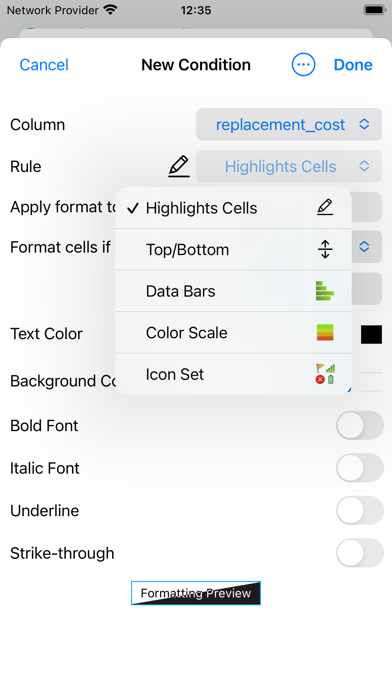
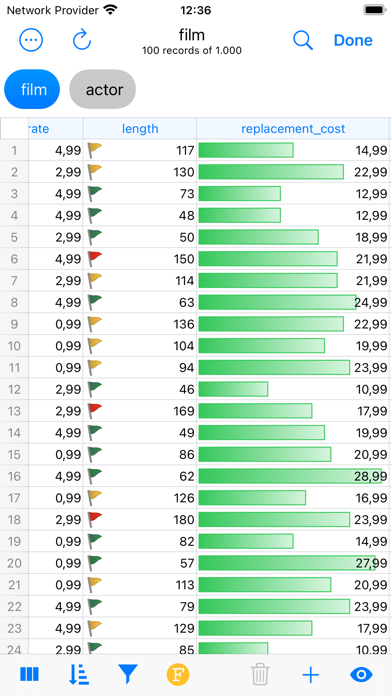
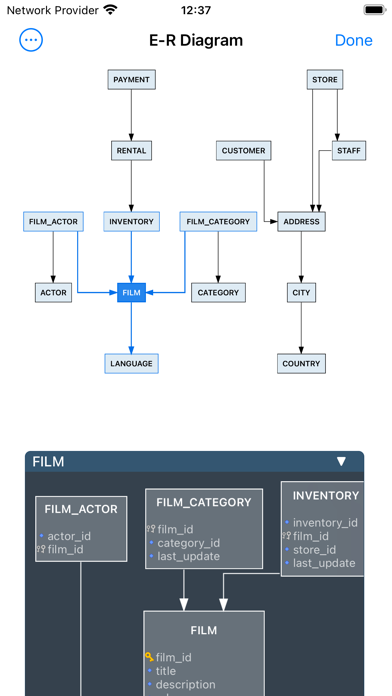
DB Compass for PostgreSQL allows you to access your PostgreSQL database directly and without any server setup. You can manage your data with a clean and simple iOS user interface. FEATURES: • Connection over TLS encryption and/or SSH tunnel • Database authentication supported: plain, MD5 and SASL (SCRAM-SHA-256 and SCRAM-SHA-256-PLUS) • SSH authentication support Secure Enclave Key and U2F/FIDO NFC Key • Assisted table creation and alter structure • Explore, filter, sort, and quick search table data • Query script with A.I. assisted composition and plan analysis • Database objects (tables, views, procedures, etc.) • Database statistics, sessions manager, server status graphs • ER Diagram Viewer • Advanced data grid for browse, edit, conditional formatting • Blob field preview, import and export • Job Activity Monitor • User list and Privileges • Import and Export in multiple formats • iCloud Sync for SQL and JS scripts • SQL plan analysis • Execute queries with Shortcuts App • Charts & Widgets OpenAI integration requires your key and is only available in allowed regions. Ollama integration requires your server to connect to. Tested on PostgreSQL 9.5, 9.6, 10, 11 and 12. -- This is a Premium app and some features may require an in-app lifetime unlock -- For feedback or suggestions contact info@dbcompass.net

Screenshots

Reviews

  • Nothing free

    1
    By Willsql
    Have better options
  • Great

    4
    By Amousoltani
    It seems good on my M2 iPad but I can’t install on my M3 MacBook
  • Prefect for iOS

    5
    By DeFiSCI
    App is perfect for mobile iOS PostreSQL management…
  • Amazing

    5
    By 0xBuns
    Does everything I want and more with intuitive navigation and comfy table views.
  • Connection lost immediately after switching to a different app

    1
    By ezioadi
    The app loses connection when I switch to notes or something to copy over some text. The results page cannot be rebooted or closed and the reconnecting process hangs up. So I have to logout from the server and start over. Is this a bug?
  • Was good

    5
    By Most Unhappy
    This app worked for several months, then suddenly I cannot connect to my existing database. After verifying Face ID, the “wheel” just spins until it gives up!
  • Good Value

    5
    By DaveXXIV
    I don’t know how much value of the pg app that cost $219 for a lifetime license over this one but for nine bucks it’s a no brainer.
  • Yup

    5
    By hallach
    It works, as others have mentioned it’s not “perfect” but it gets the job done when you need to access your databases on the go. Displays a form entry for your stored proc’s arguments too which is nifty! It’s all better than trying to manipulate psql through a terminal app on iOS thats for sure. And for a good price too.
  • Better than PGAdmin on Desktop

    5
    By JohnGalt131
    Fantastic app. Very feature rich, very stable. This is now my default means for db admin.
  • Lots of bugs but good idea

    3
    By Isleofgough
    Until yesterday's update, time fields were incorrect. For example 13:30:00 would show 1:00 AM. That was fixed but now you cannot add a new record that has a date and time field. There are nice clocks and calendars but they will not actually fill in a field. I had to purchase another front end for anything more than viewing data.

keyboard_arrow_up