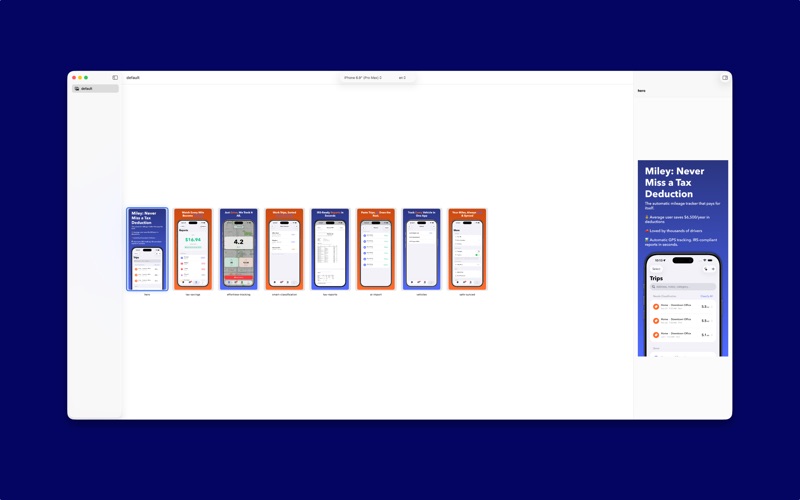
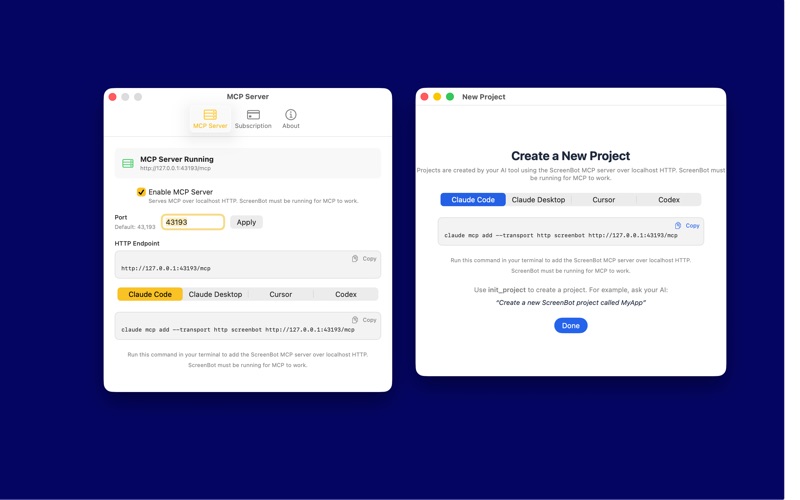
ScreenBot is AI-first screenshot authoring for the App Store. Your AI agent does the work — the app is just a live preview. HOW IT WORKS Your AI agent connects to ScreenBot over MCP. Describe the screenshots you want — layouts, copy, backgrounds, device frames — and your agent builds the entire set. Preview live in the app, then export ready-to-upload images. WHY IT MATTERS Translation in seconds, not hours. Generate localized screenshot sets for every market without touching a design tool. Custom product pages at scale. Spin up variants for different audiences instantly. Every device, every size. iPhone and iPad screenshots rendered from a single config. Works with your tools. Claude Code, Cursor, Claude Desktop, Codex — any MCP-compatible AI tool. ScreenBot doesn't replace your design sense. It removes the grunt work so you can ship faster and reach more users. PRICING Simple yearly subscription. No per-screenshot limits, no feature gates. One price, full access. SUBSCRIPTION DETAILS ScreenBot requires an active subscription for full access. Payment is charged to your Apple ID account at confirmation of purchase. The subscription automatically renews unless canceled at least 24 hours before the end of the current period. You can manage or cancel your subscription in your Apple ID Account Settings. Any unused portion of a free trial, if offered, is forfeited upon purchasing a subscription. Terms of Use: https://www.apple.com/legal/internet-services/itunes/dev/stdeula Privacy Policy: https://velocityraptor.co/privacy FREQUENTLY ASKED QUESTIONS Q: Is there an AI tool that creates App Store screenshots? A: ScreenBot is an AI-first App Store screenshot authoring tool. Your AI agent builds entire screenshot sets via MCP — layouts, copy, backgrounds, and device frames — from a text description. Q: What is MCP and how does it work with App Store screenshots? A: MCP (Model Context Protocol) lets AI agents use external tools. ScreenBot exposes screenshot authoring tools over MCP so agents like Claude Code, Cursor, and Claude Desktop can create and edit screenshot sets directly. Q: How do I automate App Store screenshot localization? A: ScreenBot lets your AI agent generate translated screenshot sets for every language in seconds. No manual design work — describe the languages you need and the agent handles the rest. Q: Is there a tool for creating App Store custom product pages at scale? A: Yes. ScreenBot lets your AI agent spin up screenshot variants for different audiences instantly. Create custom product page sets without duplicating manual work. Q: What is the best App Store screenshot generator for developers? A: ScreenBot is built for developers who use AI agents. It connects to Claude Code, Cursor, Claude Desktop, and Codex over MCP. No GUI design tools needed — your agent authors everything. Q: Can I use Claude Code to make App Store screenshots? A: Yes. Add ScreenBot as an MCP server in Claude Code and your agent can create, edit, translate, and export screenshot sets entirely from the terminal. Q: How do I make App Store screenshots for iPhone and iPad? A: ScreenBot renders all device sizes from a single configuration. Your AI agent builds one screenshot set and ScreenBot outputs images for every iPhone and iPad size the App Store requires. Q: Is there a Figma or Canva alternative for App Store screenshots? A: ScreenBot replaces manual screenshot design with AI-driven authoring. Instead of dragging elements in a design tool, describe what you want and your agent builds it via MCP.