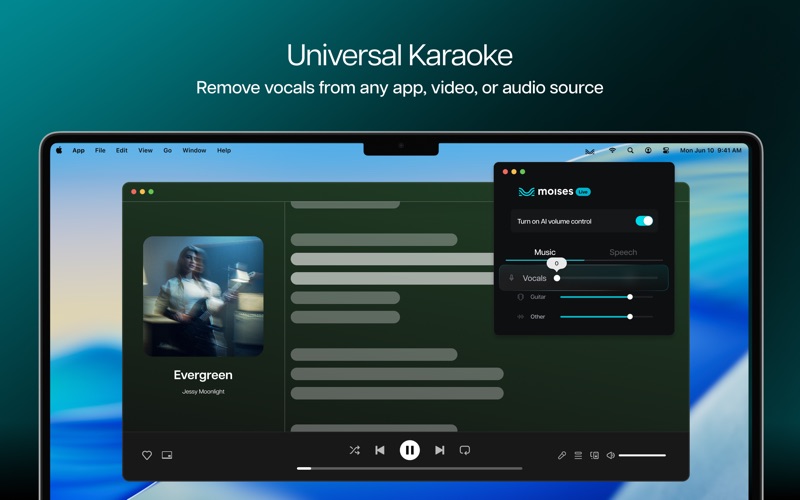
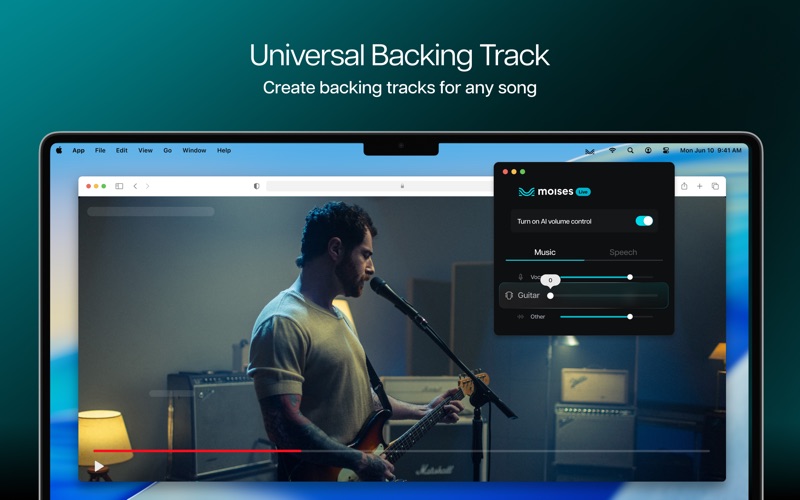
Transform any audio playing on your Mac into a fully controllable mix with advanced AI voice isolation and AI music separation technology—all in real-time. Moises Live brings powerful vocal remover and music separator capabilities directly to everything you watch or listen to. Whether it's streaming music, movies, TV shows, sports, YouTube videos, Zoom calls, or any app, our AI voice technology helps you isolate vocals, remove background noise, and separate audio into individual stems—all live, without exporting or downloading. Perfect for musicians looking for vocal separation or movie watchers needing dialogue enhancement. What You Can Do With Moises Live - AI Audio Stem Separation: Adjust or mute vocals, guitars, bass, drums, and piano as the audio plays. Works as a powerful vocal remover and music separator for any app or browser tab. - AI Voice Isolation for Movies & TV: Use our dialogue enhancer to separate on-screen voices from background music and sound effects. Our background noise remover helps you focus on what matters most—the storyline. Easily boost dialogue volume while reducing distracting background noise and music for crystal-clear comprehension of every important line. - AI Audio Control for Live Sports: Enjoy the game without the announcer for a more immersive, “in-person” experience that lets you hear the action as if you were right in the stadium. - Voice Tools for Calls & Meetings: Enhance speech clarity and voice isolation by removing background music and background noise during Zoom calls, Teams, Meet, or FaceTime conversations. - Complete Audio Mixer for All Apps: Works with Spotify, Apple Music, YouTube, Netflix, Chrome, Safari, VLC, game audio, and conferencing tools—if it plays sound on your Mac, our stem splitter can control it. - Real-timeAI Processing: Our real-time audio separator is optimized for instant performance on Apple Silicon. -Smart Audio Modes: Switch between: - Music Mode — isolate vocals or remove vocals for practice - Movie/TV Mode — enhance dialogue and reduce background music Perfect For - Movie enthusiasts who struggle to hear critical dialogue over sound effects and music - Viewers with hearing difficulties who need dialogue boosting without raising overall volume - Film students analyzing storylines who need to focus on every word of dialogue - Musicians using our vocal remover and vocal separator for practice - DJs and producers looking for stem separation and samples - Enhancing Zoom call clarity for remote workers - Podcasters who need voice tools and background noise removers - Anyone who wants to separate audio or remove background noise from any source Why Choose Moises Live? Moises Live eliminates the need for complex audio mixer tools or separate vocal extractor software. Just install our AI voice isolation app, choose your output device, and instantly control streaming audio with our powerful AI music technology. Compatibility Moises Live requires macOS and performs best on Apple computers with M1 chips or newer. Audio latency is dependent on hardware capabilities and other concurrent tasks. Download Moises Live now and take full control of your audio—no cloud uploads, zero waiting, just real-time AI audio control and stem separation on your device. For Terms and Conditions, Privacy Terms, License Agreement, and FAQ, please visit: https://moises.ai/terms https://moises.ai/privacy https://help.moises.ai/hc/en-us/articles/19834093643292-Moises-Live-End-User-License-Agreement https://help.moises.ai