DJM-REC: DJ live/recording app

DJM-REC: DJ live/recording app

By AlphaTheta Corporation

  • Category: Entertainment
  • Release Date: 2018-01-11
  • Current Version: 1.5.12
  • Adult Rating: 4+
  • File Size: 66.16 MB
  • Developer: AlphaTheta Corporation
  • Compatibility: Requires iOS 16.0 or later.
Score: 3.44702
3.44702
From 302 Ratings

Description

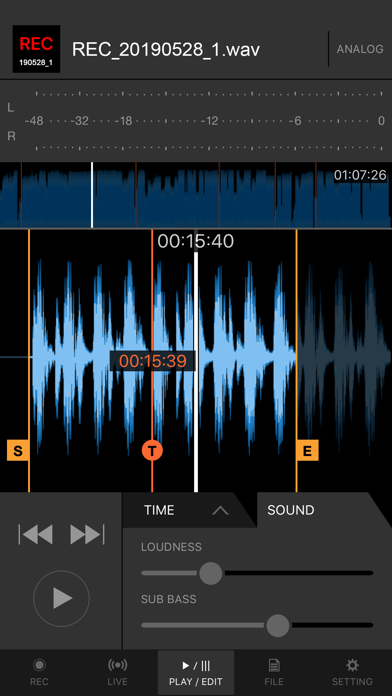
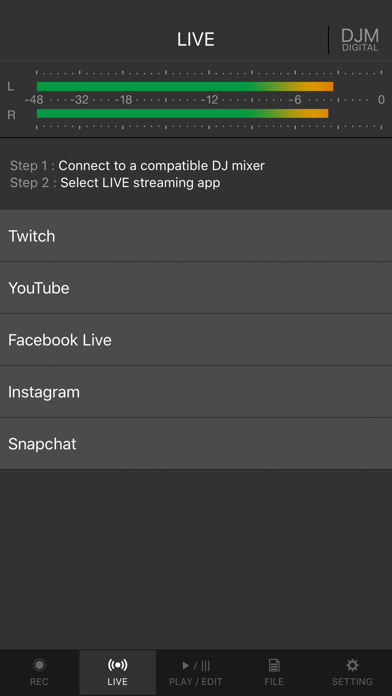
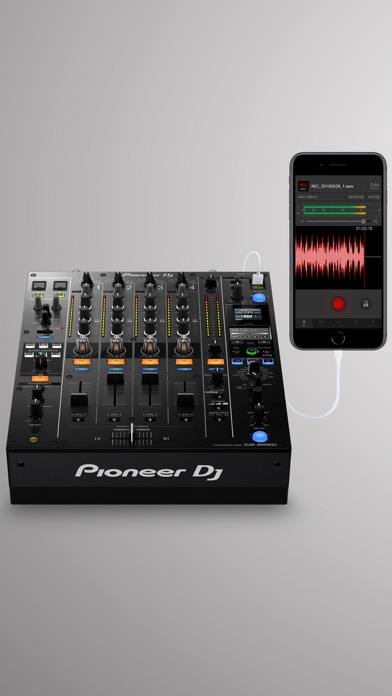
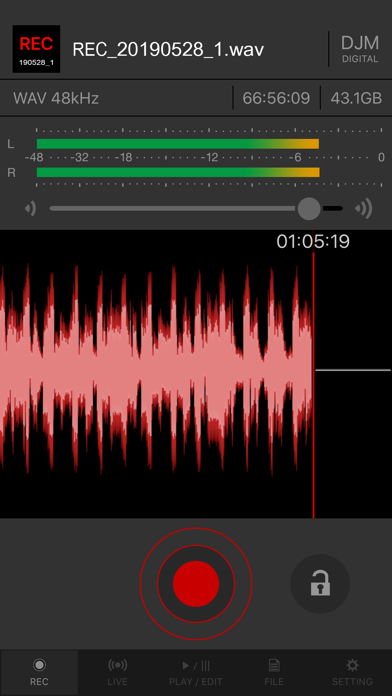
Share your DJ sets in high quality with people around the world. DJM-REC makes live streaming and recording easy – simply download the app and connect your device to a DJ mixer via one cable to get started. All features are free for 30 days. ◇High-quality live streaming and DJ mix recording made simple ・Connect your iPhone/iPad and DJ mixer with a single USB cable. ・High-quality sound comes from the direct connection. ・Easily create great-sounding mixes with the limiter function, which prevents distortion, and a loudness processing function that improves sound pressure after you’ve finished recording. ◇Live streaming on various social networks ・Directly live stream to services such as Mixcloud Live and Restream from DJM-REC. ・Seamless integration with popular apps such as Twitch, YouTube, Facebook Live, Instagram and Snapchat. ・If you’re using supported DJ equipment, you can display track information (Artist/Title) on-screen in real time while you stream. ◇Share your mix right after recording it ・Just press the [Upload] button after you finish recording and your mix will be immediately uploaded to your chosen cloud service, such as Mixcloud, SoundCloud, or Dropbox. ・Make a tracklist effortlessly. DJM-REC automatically detects when you switch songs according to the fader position and records the timing of the track changeover in the description section. All you need to do then is enter the track names. ・If you’re using compatible DJ equipment that supports track info. DJM-REC can generate complete tracklists automatically timestamps and track names included, no manual input is required. ◇Try all features free now ・Use all the app’s features free for 30 days. ・You can buy the app anytime if you like it. ◇Other handy uses ・Use the recording function to convert analog records to digital files. ・Live stream and record with the built-in (or externally connected) microphone of an iPhone or iPad. ・Connect to an audio interface and live stream or record from a DJ controller. ◇Compatible with Pioneer DJ mixers The following DJ mixers are supported by DJM-REC. ・DJM-V10 ・DJM-V10-LF ・DJM-V5 ・DJM-TOUR1 ・DJM-A9 ・DJM-900NXS2 ・DJM-750MK2 ・DJM-450 *Make sure the mixer’s firmware has been updated to the latest version before use. https://www.pioneerdj.com/support/software/ ◇Supported DJ equipment combinations for track info (Artist/Title) DJ Players: ・CDJ-3000X ・CDJ-3000 DJ Mixers: ・DJM-V10 ・DJM-V10-LF ・DJM-V5 ・DJM-A9 ◇ Supported Audio Formats for Recording ・WAV 44.1kHz ・WAV 48kHz ・AAC 64kbps ・AAC 128kbps ・AAC 192kbps ・AAC 256kbps ・AAC 320kbps For WAV files, the maximum recording time is approximately 6 hours. Please use AAC for recordings longer than 6 hours. Pioneer DJ website [https://www.pioneerdj.com/]. DJM-REC web page [https://www.pioneerdj.com/product/software/djm-rec/dj-app/overview/].
Screenshots

Reviews

  • Barley functional

    1
    By KyleGavin
    Buying this will result in you just buying an analog recorder, it works okay on an A9 but on a NXS2 the recording speed will be messed up, even if the sample rates are matched up
  • Danny lethal

    5
    By Lucyfur's army
    Complicated but when it works it's great
  • Record

    5
    By tweet973nwk
    Best live app recording app I’ve used every
  • Does NOT work with ios26 & DJM900NXS2

    1
    By WildstyleMethod808
    Super buggy, audio is messed up, slowed, and distorted now with iOS26. Doesn't properly record audio from the mixer. We had a professional gig and we needed recordings of all our dj sets. NONE of them sound clear. Has to be bugged with ios26 which has been out for 7 months already btw...yet they only alerted users to not upgrade to the new iOS after last month's app update. You have got to be joking me. Used my older iphone 7+ and records audio perfectly from the 900nxs2. This is just another app that this company makes that ends up buggy and broken and won't ever get fixed because the devs do not test or keep this app updated. I genuinely cannot believe this company is the 'industry standard'. I mean...even this app's own copyright information below in the app store still shows it's from 2020 lol. Can't even be bothered to update to 2026. They clearly do not care. Insane to think a $7k+ CDJ setup cannot record clean audio.
  • Update?

    1
    By DJ HIMAY
    Still no update to recording issues with IOS 26 update
  • RMX-Ignite & DJM-REC issues

    4
    By Bigpuffz
    So DJM-REC works fine when I’m using a DJM-A9 with two CDJ-3000x .However, I’ve run into an issue since purchasing the RMX-Ignite. For the RMX Ignite to function properly with Pro DJ Link—specifically for quantize and sync—it needs to be connected to the Multi I/O port. The problem is that DJM-REC also needs to use that same Multi I/O port in order to correctly generate a track list while recording. So now I’m stuck because both the RMX Ignite and DJM-REC require the same port to function the way I need them to.
  • Works half the time, maybe

    1
    By musicenjoyer11
    Half of the time it will disconnect a couple minutes into the recording and switch to the phone mic. And it will still say DJM on the top as the source, but it’s actually the phone mic. Ruined so many amazing sets because of this. I hate you Pioneer DJM, why is this the only option. Why?
  • Broken

    1
    By Curt.s
    Broken audio
  • Recording is 10bpm too fast

    1
    By Jp95^
    My sets from a Djm 750 mk2 turn out 10bpm too fast.
  • Recordings ruined almost every time

    1
    By Young Pete from Jumpstreet
    Since the past few iOS updates a majority of the mixes I record get extremely warped and either too fast or too slow. Sample rates are recorded incorrectly

keyboard_arrow_up