UWorld MCAT Prep: Score Higher

UWorld MCAT Prep: Score Higher

By UWorld LLC

  • Category: Education
  • Release Date: 2017-06-22
  • Current Version: 10.4.3
  • Adult Rating: 17+
  • File Size: 193.71 MB
  • Developer: UWorld LLC
  • Compatibility: Requires iOS 15.0 or later.
Score: 4.52866
4.52866
From 157 Ratings

Description

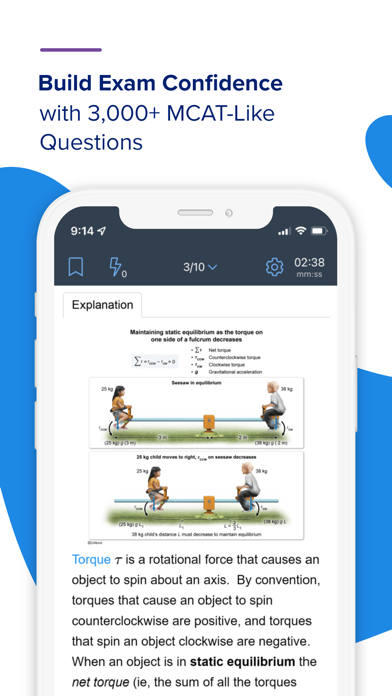
Why choose UWorld’s MCAT prep? • Our MCAT UBooks, video lessons, flashcards, and Question Bank (QBank) with detailed explanations are developed by expert educators to help you retain more. • Our all-in-one platform seamlessly integrates our MCAT UBooks, videos, flashcards, QBank, and study tools to help you achieve your best score. Master the fundamentals with our interactive UBooks and video lessons: • Explore high-yield illustrations, educational hyperlinks, and concept check questions within our UBooks for an engaging learning experience. • Watch hundreds of short, targeted videos that simplify key MCAT concepts Gain a competitive edge with our MCAT-style QBank: • Practice with 3,000+ practice questions that mirror the MCAT. • Ensure you understand the "why" with visual step-by-step explanations. Improve with 4 AAMC® practice exams and detailed performance tracking: • Track your exam readiness with 4 AAMC practice exams and create targeted practice tests to ensure you master all MCAT concepts. • Monitor your performance across different MCAT topics and gauge your progress over time. Learn faster with our time-saving study tools: • Boost recall with spaced repetition flashcards that increase your exposure to challenging MCAT concepts until you master them. • Save hours note-taking with our customizable digital notebook. Future doctor success stories: • "The UWorld MCAT app has been an invaluable resource for my MCAT prep. The practice questions and explanations are top-notch!" - John D. • "The flashcards with spaced repetition have been a game-changer for my retention. Thanks to this app, I feel more confident!" - Sarah L. Achieve your best score with our Comprehensive MCAT Prep Course. Whether you're studying at home, between classes, or on the go, maximize your time and improve your score by using our all-in-one mobile app. Download our MCAT app today! Please contact us at support@uworld.com for additional support, questions, or feedback.

Screenshots

Reviews

  • Impeccable app!

    5
    By Rolando Tankoano
    UWorld is the Best✅
  • Passage Q’s Don’t Work for IPad

    1
    By Vinergirlllll
    I use this app to do practice Q’s and unfortunately you will run into problems if you have passage Q’s. For example passages most of the time have more than one picture (table,graph,etc), but on the IPad it will only show the first one. I emailed the UWorld people and they were zero help. Their advice was to use my laptop…
  • Could be better

    3
    By Thehalfbloodmedic
    While it poses as a decent alternative to the desktop version, it’s severely lacking in various areas. For example, when attempting to create a quiz, there aren’t any options to filter by section and/or subsection. This is very annoying because then I have to create quizzes on my computer and then finish them on the app if I need.
  • Not ideal app for iPad use

    3
    By Natali 04
    Now let me just say that I love using UWorld for practice questions. I usually use it on my computer/chrome app but as I’m an avid ipad user I thought i would try out the app to see how it goes. I would say that it works like 40% of the time. Sometimes the questions would display normally and I could actually use it. Most of the time not only were there NO SPACES at all in the passages, but figures were missing so I couldn’t even answer questions. Not sure if it’s just me, but hopefully this gets fixed in an update.
  • Crashing

    2
    By ~~~~~-~~~~~
    App keeps crashing after I go to the next question, otherwise no issue I have to reopen the app for each question because it crashes after I go to the next question
  • doesn’t load

    2
    By Noaollie
    Won’t ever let me log in. It just spins and loads forever. I have to delete and redownload the app every time I want to use it. Tried turning Touch ID off and it didn’t make a difference. Very annoying. App is otherwise good.
  • unfriendly userface

    2
    By nocknema
    i can't find anything on here?? it's all empty. i don't understand why anyone would pay $300 just to have to do everything themselves still.
  • User unfriendly interface

    2
    By NonChronological
    I love UWorld, but this app could improve from a couple points: 1. Highlighting is not accurate. The portion you highlight on the mobile app does not align with what ends up being highlighted on the UWorld website on a browser. 2. There are way too many buttons to press to access the notebook. It would be nice if the notebook could pop up underneath the question like a horizontal division between the notebook and the question content) so that you can both read the content and access the notebook at the same time. Currently, the notebook takes over the whole screen so is not very accessible. 3. There is no explicit way to pause the exam. It is either resume or discard, no other option written. An explicit way to pause and save the exam would be great.
  • Not iPad compatible

    2
    By Dp11245
    Unable to highLight or toggle with certain buttons properly
  • Not working properly

    1
    By JCRazy1992
    There is a problem with reading passages. Won’t let you read passages.

keyboard_arrow_up